
Your smartphone is probably the most useful thing in your bag. It replaces a phrasebook, a paper map, a currency calculator, and half the contents of a travel agent's desk. But only if you load the right apps before you leave.
We've spent years testing travel apps across Southeast Asia, China, Europe, and South America. Most are forgettable. Some we can't travel without. Here are the ones that actually earned their place on our home screens, organised by what you'll need them for.
Essential Apps at a Glance
- Maps — Google Maps + Organic Maps for offline navigation
- Translation — Google Translate with offline language packs
- Accommodation — Hostelworld, Booking.com, Couchsurfing
- Transport — Skyscanner, Rome2Rio, regional booking apps
- Finance — Wise, Revolut, XE Currency, TravelSpend
- Safety — VPN, eSIM, Sitata, travel advisories
Note: All apps listed are free unless otherwise noted. Features and availability may change. Check each app's store listing for the latest details.
Navigation & Maps
Getting lost is part of the adventure — until you need to find the last bus back to your hostel at 11pm. Two apps cover nearly every navigation scenario a backpacker will face.
Google Maps
The gold standard for navigation, transit, and offline maps
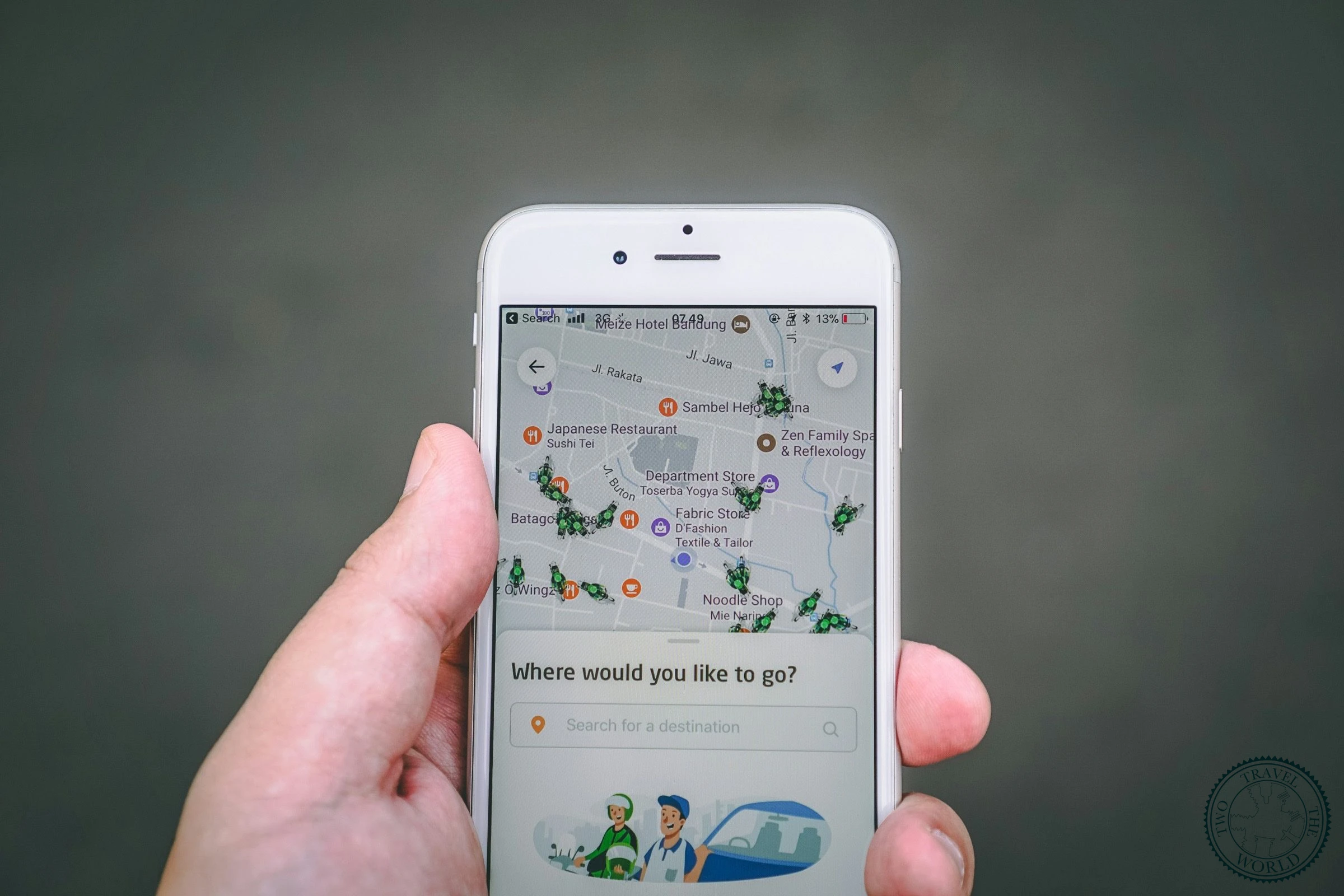
The obvious choice, but the offline feature is what makes it worth having. Download entire regions over Wi-Fi before you head out and you'll have turn-by-turn directions, transit schedules, and restaurant reviews without burning a single megabyte of data. A recent update auto-refreshes your downloaded maps in the background, so they stay accurate without you having to re-download manually. We grab the maps for every country before we cross the border.
Organic Maps
Privacy-first, fully offline maps built on OpenStreetMap
We used to recommend Maps.me, but it's gone downhill: intrusive ads, download limits, and privacy concerns (it sends location data to trackers even when using offline maps). Organic Maps is the open-source fork that does everything Maps.me used to do, without the baggage. It's built on the same OpenStreetMap data and fills the gaps Google misses, especially hiking trails, footpaths, and small roads in developing countries. We've relied on it in rural Laos and the mountains of northern Vietnam, where Google Maps showed nothing but blank space. No ads, no tracking, works entirely offline. Over 6 million installs and growing fast.
Google Maps vs Organic Maps
Google Maps
Pros
- Transit directions, restaurant reviews, auto-updating offline maps
- Works everywhere with near-complete global coverage
Cons
- Needs data for most features, tracks your location
- Misses smaller trails and rural roads in developing countries
Organic Maps
Pros
- Fully offline with zero data usage, no tracking or ads
- Superior hiking trails, footpaths, and rural coverage
Cons
- No transit directions or restaurant reviews
- No real-time traffic or business information
Communication & Language
Google Translate
Our PickCamera translation, offline packs, and 249 languages
Supports 249 languages for text and lets you download 59 language packs for fully offline use. The camera translation feature alone is worth the install: point your phone at a restaurant menu, a bus timetable, or a medicine label and watch it translate in real time. We use it daily in countries where we don't speak the language.
How the world outside North America communicates
Outside North America, WhatsApp is how the world communicates. Hotels, tour operators, tuk-tuk drivers, and the friends you meet at hostels. Everyone uses it. It works over Wi-Fi, so you don't need a local SIM card. In most of Latin America, Southeast Asia, and Europe, not having WhatsApp is like not having a phone number.
Accommodation
Hostelworld
Our PickThe largest hostel platform with a built-in social network
The largest hostel booking platform with over 17,000 hostels in 179 countries. The reviews are honest (fellow backpackers don't sugarcoat things), and the "Solo System" social feature lets you see who else is heading to the same hostel and join group chats before you arrive. The newer "Social Pass" even gives you access to the social features without booking a stay. We've found some of our best travel companions this way.
Booking.com
28 million+ properties across every budget and style
When Hostelworld doesn't have what you need, or when you want to compare hostels against guesthouses, homestays, and budget hotels, Booking.com fills the gaps. With 28 million+ properties in 220+ countries, it's particularly useful in regions where hostel coverage is thin. The loyalty programme gives you discounts after a few stays.
Couchsurfing
Free accommodation with locals who share their city
Free accommodation with locals who genuinely want to share their city with travellers. You'll save money, sure, but the real draw is the cultural exchange and tips you'd never find in a guidebook. The "Hangouts" feature lets you meet locals even if you're not staying with a host. It went behind a paywall in 2020 and now requires a subscription ($2.39/month, or about $14/year if you pay upfront). Controversial move, but the community that stuck around tends to be more committed.
Hostelworld vs Booking.com vs Couchsurfing
Hostelworld
Pros
- 17,000+ hostels in 179 countries with honest backpacker reviews
- Built-in social features to meet other travellers before you arrive
Cons
- Only hostels — no hotels, guesthouses, or apartments
- Thinner coverage in regions where hostels are less common
Booking.com
Pros
- 28M+ properties across every budget and style in 220+ countries
- Loyalty discounts after a few stays, free cancellation on most listings
Cons
- Less backpacker-focused, reviews can be inflated
- No social features to connect with other travellers
Couchsurfing
Pros
- Free accommodation with locals and deep cultural exchange
- Hangouts feature to meet locals even without staying with a host
Cons
- Requires $2.39/mo subscription since 2020
- Availability varies by city, not reliable as sole option
Transportation
Skyscanner
Search flights to 'Everywhere' and find the cheapest dates
The search-to-"Everywhere" feature alone makes Skyscanner essential. Enter your departure city, select "Everywhere" as the destination, and it shows the cheapest flights to every reachable airport. The calendar view reveals the cheapest dates to fly. We always start flight research here, then book directly with the airline for better cancellation protection.
Rome2Rio
Every route between any two places: plane, train, bus, ferry
Enter any two places on earth and Rome2Rio shows every possible way to get between them: plane, train, bus, ferry, rideshare, or driving. It shows estimated costs and journey times for each option. Really useful when planning overland routes through regions with complicated transport networks, like getting from Hanoi to Luang Prabang or Zagreb to Dubrovnik.
Regional Booking Apps
Local platforms that outperform global apps in their region
Some regions have dominant local platforms that work better than global apps. Omio covers buses, trains, and ferries across Europe. 12GoAsia handles ground transport in Southeast Asia. We've used it to book overnight trains in Thailand and buses in Vietnam. Having the right regional app saves hours of confusion at bus stations.

Finance & Currency
Wise
Our PickReal mid-market exchange rate with no markup
Wise uses the real mid-market exchange rate with no markup and charges transparent fees starting at 0.41%. The debit card lets you spend abroad at the real exchange rate and withdraw cash from ATMs (two free withdrawals or up to $100/month free, then $1.50 per withdrawal plus 2% on amounts over that). Compared to a typical bank card that charges 3–5% on foreign transactions, the savings add up fast on a long trip. We haven't used a traditional bank card abroad in years.
Revolut
All-in-one travel finance with budgeting, eSIM, and more
Revolut has grown into Wise's main competitor, and a lot of backpackers now carry both. Revolut's free plan gives you fee-free card spending in 150+ currencies and £200/month in free ATM withdrawals. Where it goes further than Wise is the extras: built-in budgeting tools, eSIM data packages, lounge access on paid plans, and the ability to hold and exchange 24 currencies in the app. Wise still wins on the raw exchange rate (Revolut adds a small markup), but for day-to-day spending abroad Revolut is hard to beat.
Wise vs Revolut
Wise
Pros
- Real mid-market rate with no markup, lowest conversion fees
- Holds and converts 50+ currencies transparently
Cons
- Basic app features, lower ATM free withdrawal limit
- No built-in budgeting or extras beyond transfers
Revolut
Pros
- All-in-one app (budgeting, eSIM, lounge access)
- Higher free ATM limit (£200/month on free plan)
Cons
- Adds a small markup to the exchange rate
- Holds fewer currencies (24 vs 50+)
XE Currency
Simple, reliable currency conversion that works offline
The simplest and most reliable currency converter, covering 170+ currencies. It works offline using the last updated rates, so you can check conversions at a market stall without data. Every backpacker should have this for quick price checks. It takes the mental arithmetic out of haggling.
TravelSpend
Purpose-built expense tracker for multi-currency trips
A purpose-built expense tracker for travellers. Log purchases in local currency and see automatic conversion to your home currency. Set daily or trip budgets and see at a glance whether you're on track. It works on both iOS and Android and offers trip sharing if you're travelling with a partner. Far more practical than a spreadsheet when you're logging expenses across multiple currencies.

Safety & Health
A VPN App
Protect your data on public Wi-Fi and bypass regional blocks
We wrote an entire article about this, but the short version: a VPN protects your data on public Wi-Fi and lets you access blocked services in countries like China, Iran, and Vietnam. NordVPN is our current pick (8,400+ servers in 165 countries, fast, around $3.39/month on a 2-year plan). ExpressVPN and Surfshark are solid alternatives. Download and configure it before arriving in a restricted country. VPN websites themselves are often blocked.
Sitata
Real-time security and health alerts at your destination
Real-time alerts about security threats, health hazards, travel disruptions, and natural disasters at your destination. It monitors your itinerary and proactively warns you about issues, from political protests to disease outbreaks. The 24/7 help desk is a decent safety net when things go sideways.
Government Travel Advisory Apps
Official safety advisories and embassy contacts
The U.S. State Department's Smart Traveler app (or your own country's equivalent) provides country-specific safety advisories, entry requirements, and embassy contact information. Register your trip so your embassy can reach you in a crisis. It's the kind of app you hope you never need but should always have installed.
eSIM & Data
This category barely existed a few years ago. Now eSIM apps have replaced the old ritual of hunting for a local SIM card at the airport. If your phone supports eSIM (most phones from 2020 onwards do), you can buy a data plan before you land and be online the moment you step off the plane.
Airalo
Our PickThe biggest eSIM marketplace with pay-per-GB plans
The biggest eSIM marketplace, covering 200+ countries. Plans are pay-per-GB, which makes it budget-friendly if you mostly use Wi-Fi and just need data for maps, messaging, and the occasional search. We bought a 5GB Asia plan for a two-week trip and barely used half of it. Prices start low and you can top up from the app if you run out.
Holafly
Unlimited data plans so you never worry about limits
If you use more data or want the peace of mind of not worrying about limits, Holafly offers unlimited data plans for fixed periods (5, 10, 15, or 30 days). More expensive per day than Airalo, but you never have to think about how much data you're using. Good for remote workers or anyone who relies on video calls and hotspotting their laptop.
Airalo vs Holafly
Airalo
Pros
- Cheaper pay-per-GB pricing, ideal if you mostly use Wi-Fi
- Covers 200+ countries with regional and global plans
Cons
- No unlimited plans, need to top up if you run out
- Can be stressful if you underestimate data usage
Holafly
Pros
- Unlimited data with no anxiety about running out
- Great for remote workers who need video calls and hotspotting
Cons
- More expensive per day than Airalo for light users
- Fewer country options than Airalo
Photography & Backup
Google Photos
Automatic cloud backup and smart search for every photo
Automatic cloud backup of every photo you take. Losing a phone on the road happens more often than you'd think, and this is your insurance policy. The free tier gives you 15GB shared across Google Drive and Gmail, which fills up fast if you shoot a lot. The 100GB plan costs $1.99/month via Google One and is worth it for a long trip. Set backup to Wi-Fi only so it doesn't drain your data. The search is also genuinely useful: type "temple" or "beach" and it pulls up every matching photo across years of travel.
Lightroom Mobile
Professional photo editing on your phone, no laptop needed
Proper photo editing on your phone. For backpackers who care about photo quality but don't carry a laptop, Lightroom Mobile replaces desktop post-processing entirely. The free version handles most of what you'd need. We edit all our travel photos on the road with it.

Trip Planning
TripIt
Forward your emails, get a master itinerary automatically
Forward your confirmation emails (flights, hotels, tours, car rentals) and TripIt automatically organises everything into a master itinerary with dates, times, addresses, and confirmation numbers. It works offline once synced, which means no digging through email at the airport. The free version covers most needs.
Wanderlog
Plan your trip visually with maps, pins, and collaboration
A newer trip planner that's become our go-to for the research and planning phase. Drop pins on a map, organise them into days, and it calculates driving distances between stops. You can import bookings, save places from Google Maps, and plan collaboratively with a travel partner. The free version covers most of what you need. Where TripIt organises confirmations you've already booked, Wanderlog helps you figure out what to book in the first place.
Splitwise (or Tricount)
Split travel costs without the awkward maths
If you're travelling with anyone else, you need a way to split costs. Splitwise is the most popular option: create a group, log shared expenses, and it calculates who owes whom across multiple currencies. One catch: the free tier now limits you to 3 expenses per day, which can be tight on busy travel days. If that bothers you, Tricount does the same job with no limits, no ads, and offline support. We've used both and they're equally good at eliminating the awkward "who paid for what" conversations.

Setting Up Before You Leave
A few practical tips to get the most out of these apps on the road:
- Download offline maps and language packs while you still have reliable Wi-Fi at home.
- Set up your Wise and/or Revolut card and make a test transaction before you travel.
- Buy and install your eSIM before you fly. Check your phone supports eSIM first.
- Install and configure your VPN before entering any restricted country.
- Enable automatic photo backup to the cloud. Set it to Wi-Fi only to save data.
- Download your accommodation confirmations for offline access.
- Carry a portable battery pack. Your phone is now your entire travel office.
Most of these apps are free. The ones that cost money (Wise, a VPN) will save you far more than they charge. Download them before you leave, while you still have fast Wi-Fi and the headspace to set things up properly.
Your future self, standing in a bus station in rural Laos at midnight, will thank you.